 LocalLab
Tools › Chat
Private AI chat that runs offline on your Mac
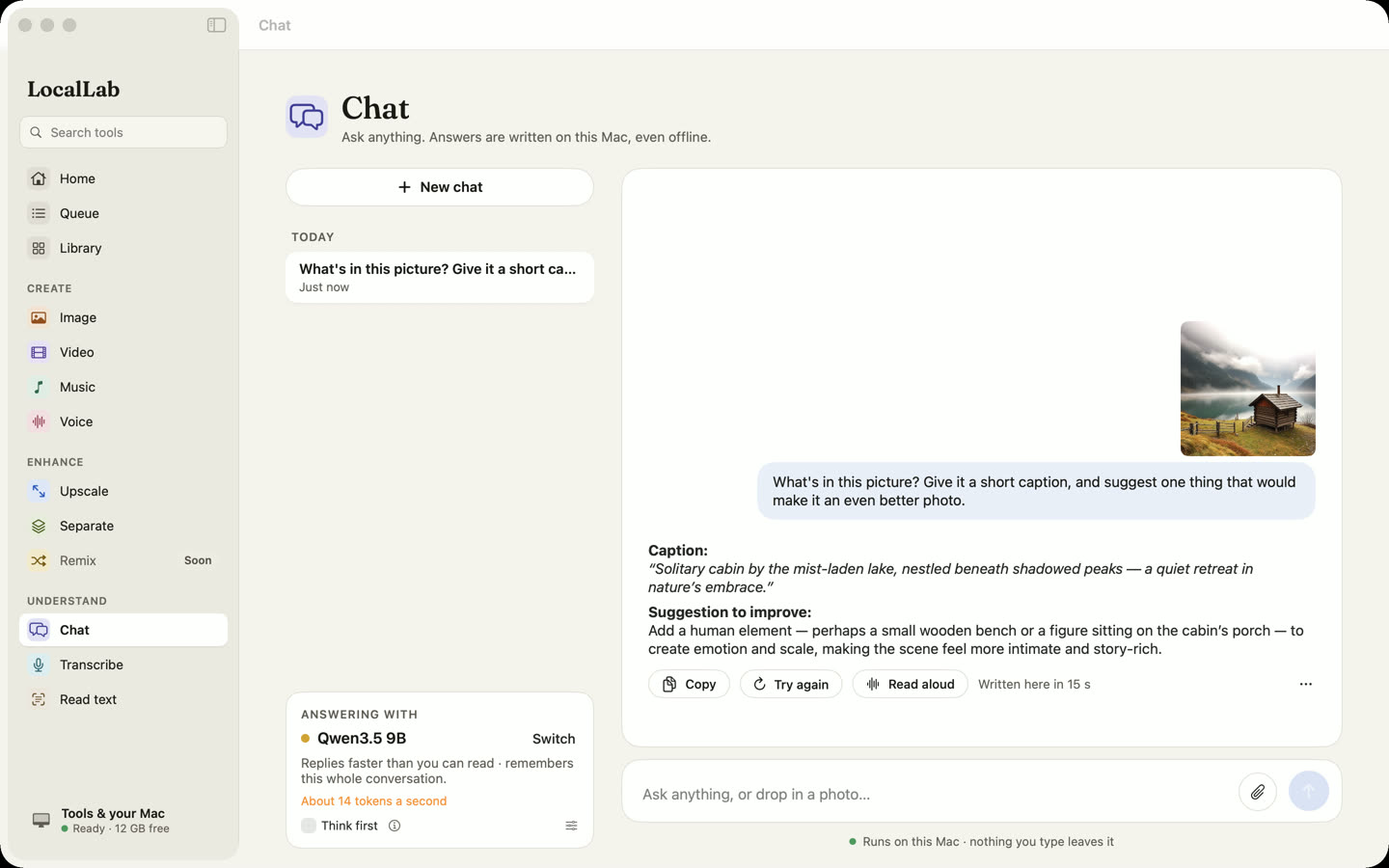
Talk with an AI model that runs on your Mac, not on a server. Attach a photo and ask about it, or let the model think a question through first. Nothing you type leaves your computer.
- Models
- Qwen3.5, from 0.8B (0.6 GB) to 122B (70 GB), Apache 2.0 — or another MLX chat model from Hugging Face
- Memory
- 8 GB runs the smaller models; the largest need 32 GB or more. Each is graded for your Mac
- Speed
- Qwen3.5 9B writes about 38 tokens (word pieces) a second on an M2 Max
- Works offline
- Yes, once a model is downloaded
How it works
LocalLab picks the best Chat model your Mac runs well — it weighs each model's memory against what your Mac has free, and its speed against a comfortable reading pace — and shows you the arithmetic. You can choose any other model at any time, including ones you find in Browse.
Attach a photo and the models that can see images answer questions about it: what's in it, what a sign says, what a chart shows. Turn on thinking for harder questions and the model works through them before it answers.
Good for
- Drafting and rewriting text you'd rather not paste into a website
- Questions about photos and screenshots
- Working on a plane, or anywhere without a connection
Private by design
Chat runs on your Mac. LocalLab AI has no account, no analytics and no server: the only connection it makes is to Hugging Face, to download models. Read the privacy policy.
Questions
Is the chat really private?
Yes. The model runs on your Mac's GPU, and LocalLab has no server: conversations are never sent anywhere. The only connection the app makes is to Hugging Face, to download models.
Which model should I use on an 8 GB Mac?
The smaller Qwen3.5 models, from 0.8B to 4B. LocalLab grades every model for your Mac before you download it, and picks the best one it runs well.
Can it read my documents?
You can paste text into a conversation, and attach photos and screenshots. For scans and PDFs, use Read text, which turns the page into text you can then ask about.