 LocalLab
Tools › Voice
Offline text to speech for Mac in ten languages
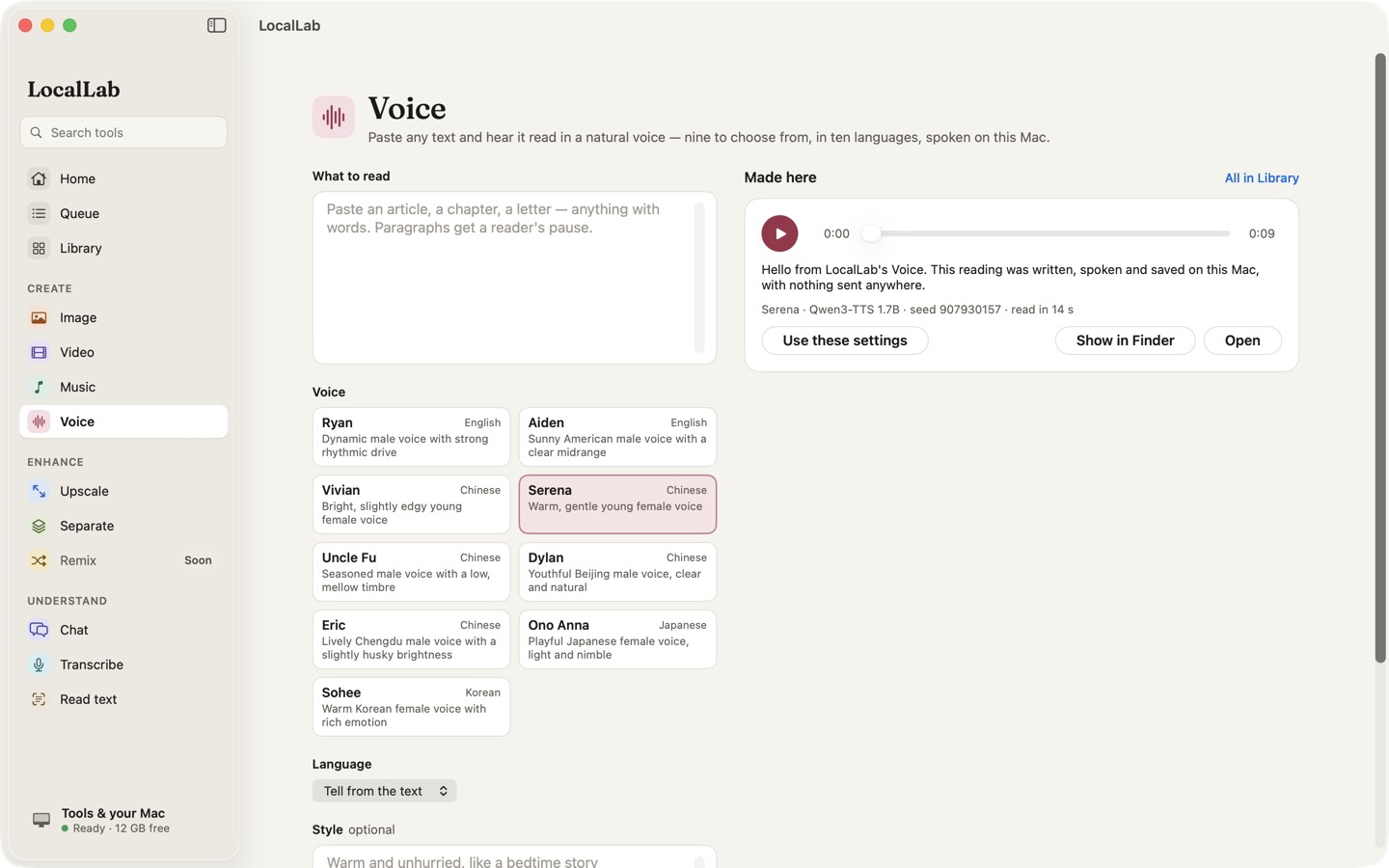
Paste an article, a chapter or a letter and hear it read aloud in a natural voice. Nine voices, ten languages, all on your Mac.
- Models
- Qwen3-TTS 0.6B (2.5 GB) or 1.7B (4.5 GB), Apache 2.0
- Voices
- Nine — two native English speakers, five Chinese, one Japanese, one Korean; each speaks all ten languages
- Languages
- English, Chinese, Japanese, Korean, German, French, Russian, Portuguese, Spanish and Italian
- Memory
- 8 GB for the 0.6B; the 1.7B on 16 GB
- Speed
- Faster than real time: 20 seconds of speech in about 7 seconds on an M2 Max
How it works
Qwen3-TTS reads text the way a person does, with natural rhythm and emphasis. LocalLab reads long text a paragraph at a time, with a reader's pause between paragraphs, so a chapter takes no more memory than a sentence. The larger 1.7B model also follows a style: warm, brisk, whispered, like a bedtime story.
Each reading is saved as audio you can play, keep or share. The same text, voice and seed always read it the same way.
Good for
- Listening to articles and drafts
- Narration for videos and presentations
- Hearing how a script sounds
Private by design
Voice runs on your Mac. LocalLab AI has no account, no analytics and no server: the only connection it makes is to Hugging Face, to download models. Read the privacy policy.
Questions
Can it clone my voice or someone else's?
No. Voice uses the model's own voices; nothing in LocalLab copies a voice from a recording.
How long a text can it read?
As long as you like — it's read a paragraph at a time, so memory stays the same whatever the length. LocalLab tells you roughly how long the reading will take.