 LocalLab
Tools › Read text
Offline OCR for Mac: photos, scans and PDFs
Drop in a photo of a page, a scan, a screenshot or a PDF and get its words back as text you can copy and edit — on your Mac.
- Model
- GLM-OCR (2.7 GB), MIT, for “Just the words”; your Chat model for keeping the layout
- Reads
- Photos, scans, screenshots and PDFs
- Memory
- Any Apple silicon Mac, from 8 GB
- Speed
- About 3 seconds a page for just the words on an M2 Max; keeping the layout uses your Chat model and takes longer — about half a minute for a receipt with Qwen3.5 9B
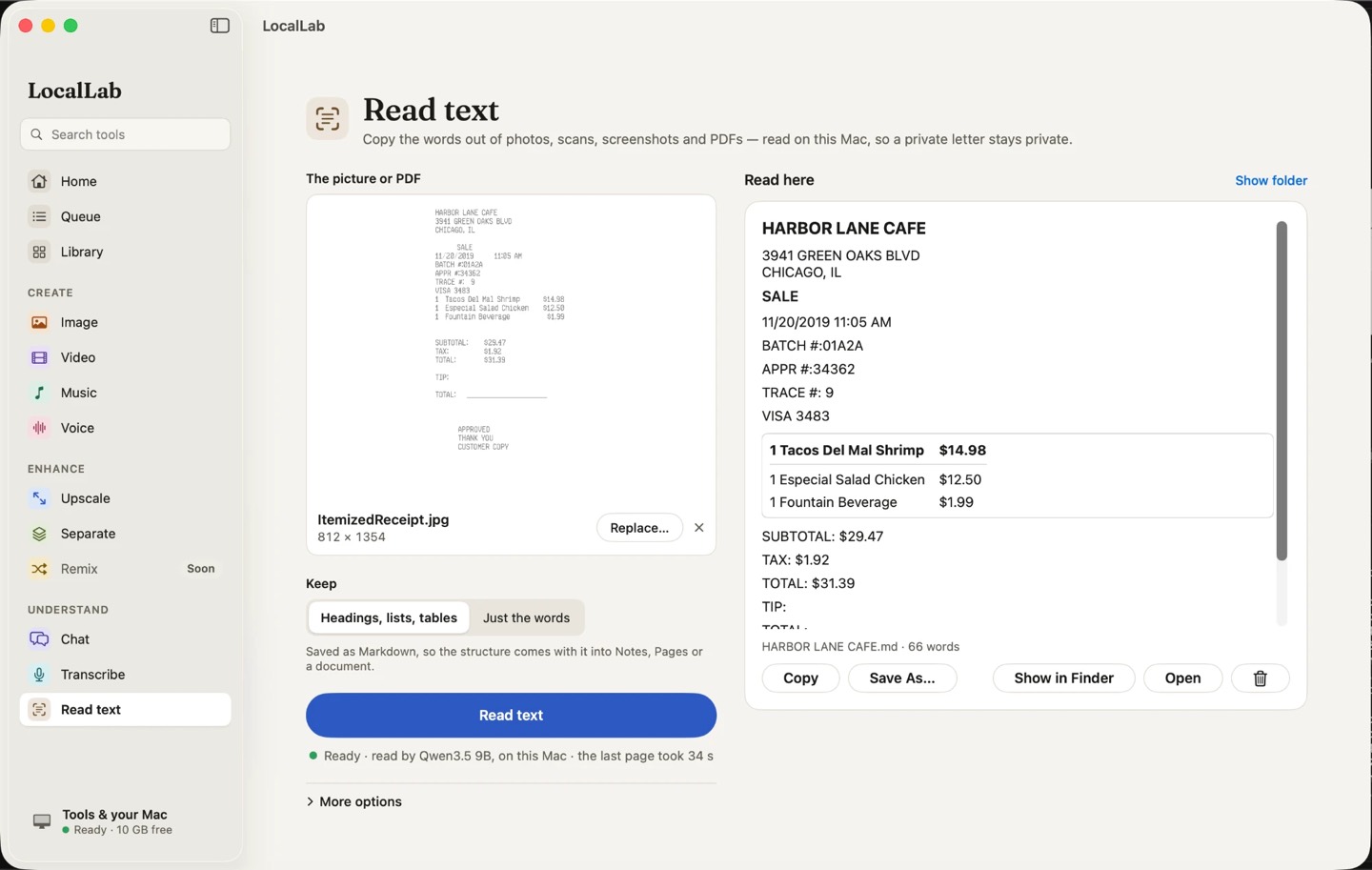
How it works
GLM-OCR is a document-reading model that turns a page image into text. For pages where the layout matters — headings, lists, tables — LocalLab can ask your Chat model to keep it.
Documents are read on your Mac, so contracts, statements and letters stay private.
Good for
- Copying text from screenshots and photos
- Turning scanned PDFs into editable text
- Receipts, letters and notes
Private by design
Read text runs on your Mac. LocalLab AI has no account, no analytics and no server: the only connection it makes is to Hugging Face, to download models. Read the privacy policy.
Questions
Does it read handwriting?
Clear handwriting often reads well; untidy handwriting and very small print are harder. Check the text against the page when it matters.
Does it work on multi-page PDFs?
Yes — each page is read in turn.