 LocalLab
Tools › Upscale
AI photo and video upscaler for Mac — offline
Make photos sharper and up to four times bigger, and videos crisper, on your Mac. Your pictures never leave your computer.
- Photos
- VOSR2 (3.3 GB), Apache 2.0 — up to 4×, on any Apple silicon Mac, even 8 GB
- Videos
- SeedVR2 3B (4.4 GB), with the sound kept; 16 GB with other apps closed
- Sizes
- 2× bigger, HD (1080p), 2K (1440p) or 4K (2160p)
- Speed
- A 1024 × 1024 photo to 2048 × 2048 in about 25 seconds on an M2 Max
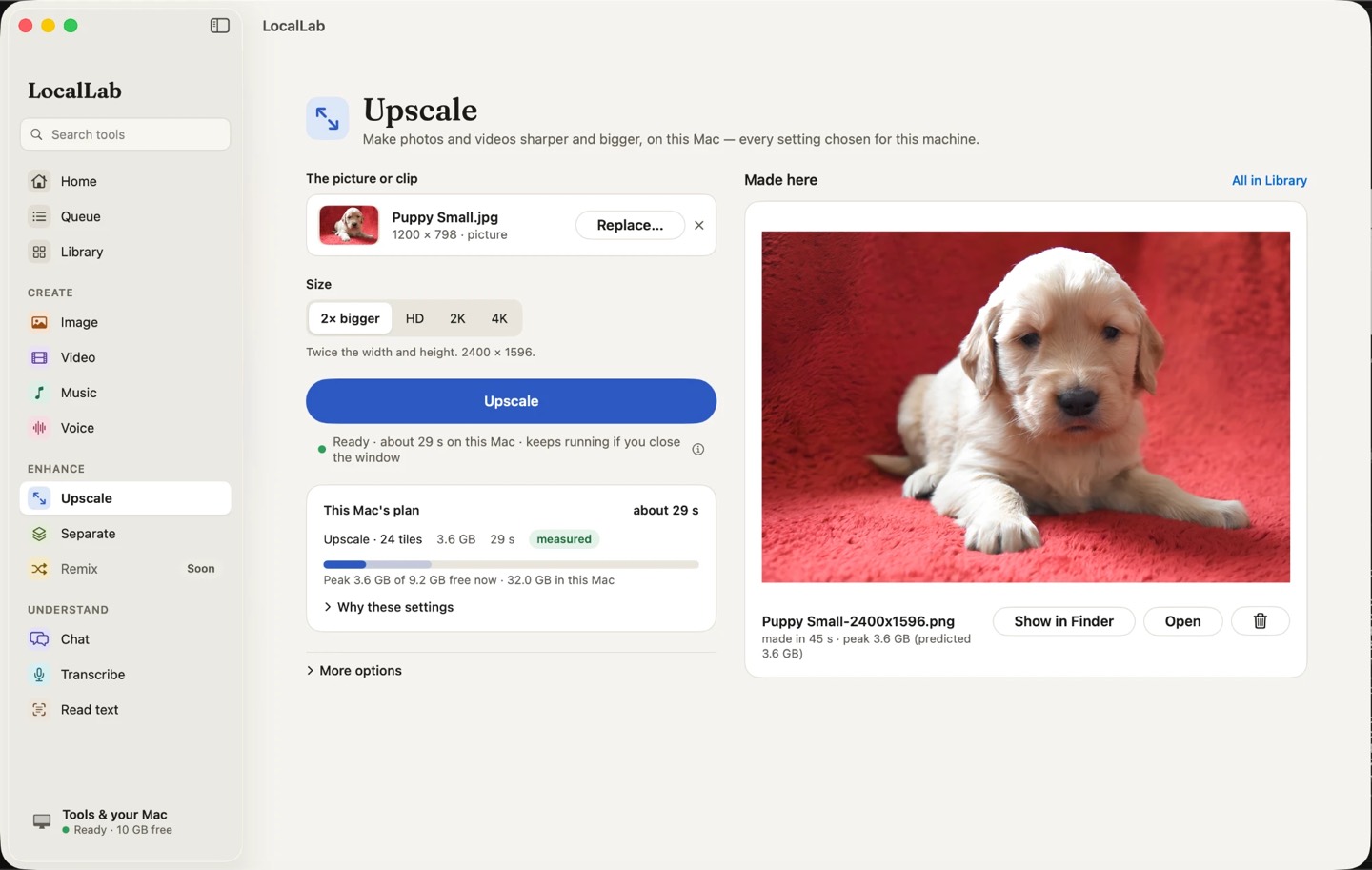
How it works
VOSR2 restores detail rather than just enlarging: the photo is enlarged, then one pass of the model puts back the texture and edges that enlarging blurs, a tile at a time, which keeps the memory it needs low. SeedVR2 does the same for video, frame by frame, keeping the soundtrack.
LocalLab plans each upscale before it starts — the memory it needs and how long it will take — and a long video upscale picks up where it stopped if you quit.
Good for
- Old and low-resolution photos
- Pictures from Image, made print-sized
- Sharpening short videos
Private by design
Upscale runs on your Mac. LocalLab AI has no account, no analytics and no server: the only connection it makes is to Hugging Face, to download models. Read the privacy policy.
Questions
Does upscaling change my original?
No. The result is saved as a new file; the original is never touched.
Will it run on an 8 GB Mac?
Upscaling photos does. Video upscaling needs 16 GB with other apps closed.
How much bigger can a photo get?
Up to four times its width and height. Before it starts, LocalLab says how much memory the size you chose needs and whether your Mac has it free.