 LocalLab
Tools › Image
Offline AI image generator for Mac (FLUX.1)
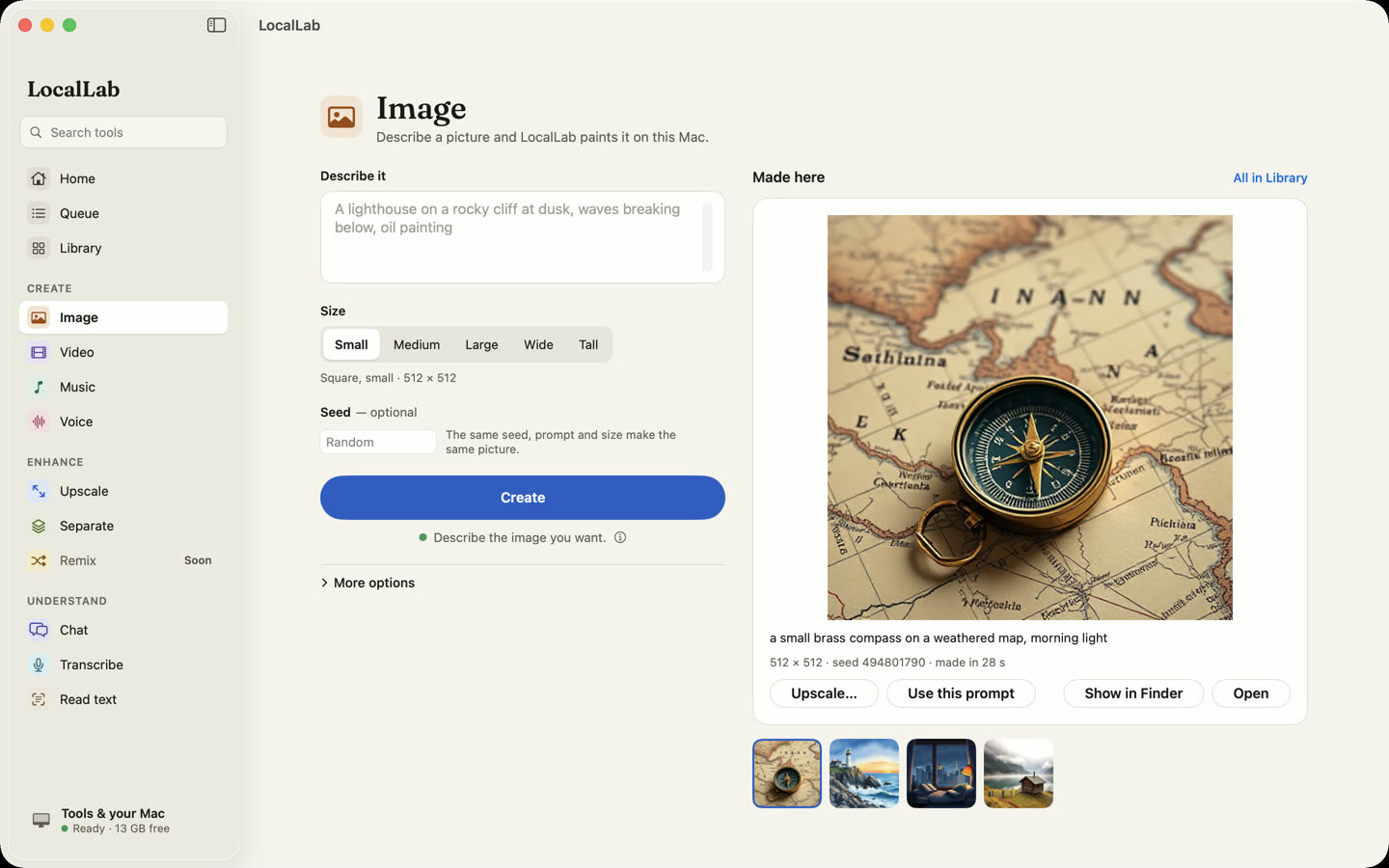
Describe a picture and FLUX.1 schnell paints it on your Mac. No credits, no queue on someone else's server, and your prompts stay on your computer.
- Model
- FLUX.1 schnell, 4-bit (9.9 GB), Apache 2.0
- Sizes
- 512 × 512, 768 × 768, 1024 × 1024, and 1344 × 768 landscape or portrait
- Memory
- 16 GB or more
- Speed
- About a minute for a 1024 × 1024 picture on an M2 Max; a few minutes on smaller Macs
How it works
FLUX.1 schnell is a fast image model from Black Forest Labs that makes a picture in four steps. LocalLab runs a 4-bit build of it with Apple's MLX on your Mac's GPU, and tells you before you start how much memory it needs and how long the size you chose will take.
Set a seed to make the same picture again, or vary it. Send any result straight to Upscale to make it sharper and bigger.
Good for
- Concept art, mood boards and placeholders
- Illustrations for posts and slides
- Trying ideas quickly, without paying per picture
Private by design
Image runs on your Mac. LocalLab AI has no account, no analytics and no server: the only connection it makes is to Hugging Face, to download models. Read the privacy policy.
Questions
Do I need an internet connection to make images?
Only to download the model the first time. After that, Image works offline.
Can I use the pictures commercially?
FLUX.1 schnell is released under the Apache 2.0 licence, which LocalLab shows before you install it. Read it, and check that what you make doesn't copy anyone else's work.
Will it run on an 8 GB Mac?
Image needs 16 GB of memory. On a smaller Mac, LocalLab marks it red and doesn't start a job that wouldn't fit.