 LocalLab
Tools › Separate
Split songs into stems on your Mac
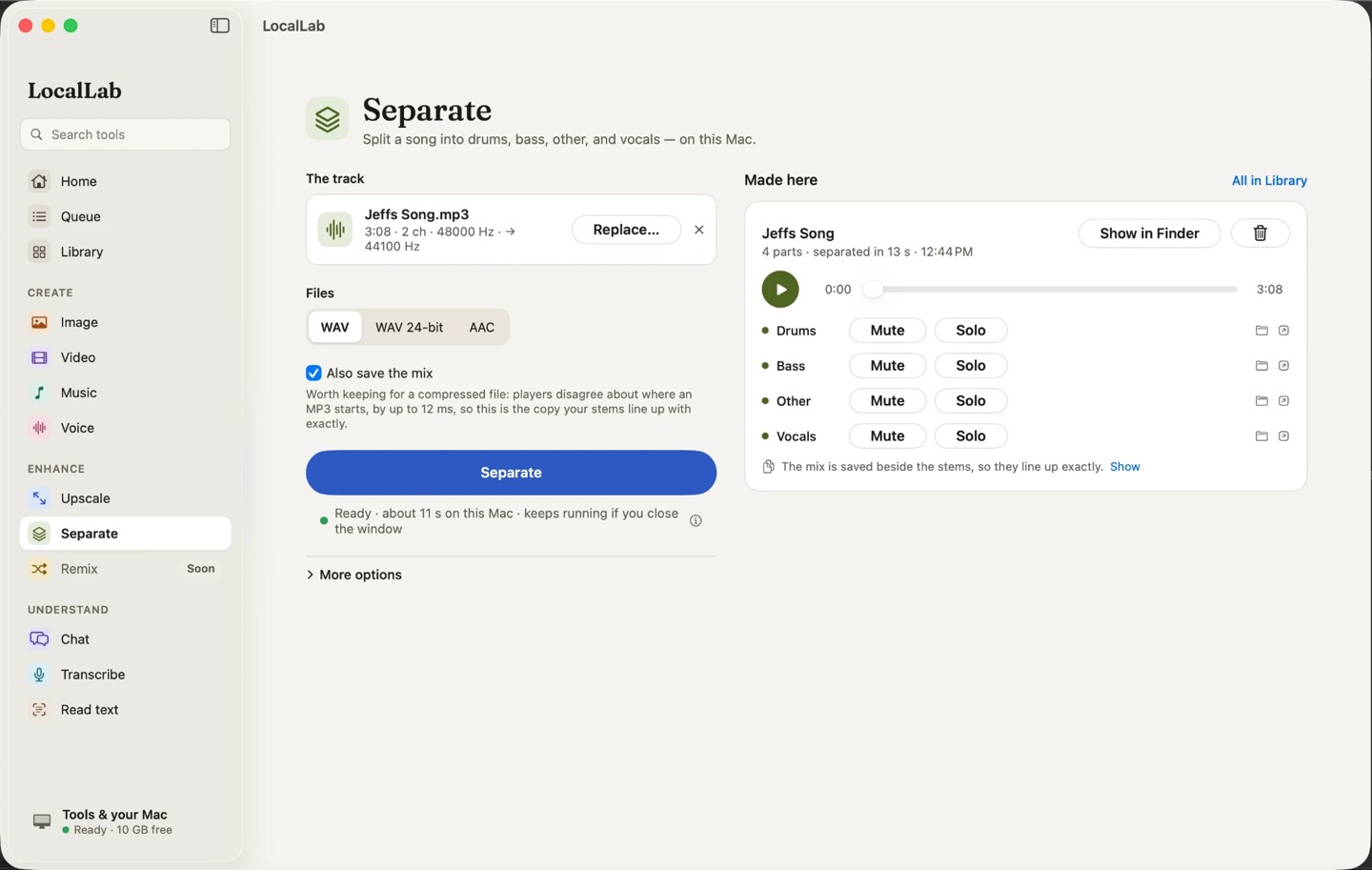
Drop in a song and get it back as four stems — vocals, drums, bass and everything else — to play together or alone. In seconds, on your Mac.
- Model
- HTDemucs v4 (0.2 GB), MIT
- Stems
- Vocals, drums, bass and other
- Files
- WAV, 24-bit WAV or AAC, with the original mix saved beside them if you like
- Memory
- Any Apple silicon Mac, from 8 GB
- Speed
- A minute of music in about 2 seconds on an M2 Max
How it works
HTDemucs is Meta's hybrid transformer model for music source separation. LocalLab runs it with MLX and plays the stems back together, with each one muted or soloed at a click, before you save them.
Songs made in Music can go straight to Separate. Your track is read, never changed.
Good for
- Karaoke and backing tracks
- Practising along with a band
- Remixing and sampling (with permission)
Private by design
Separate runs on your Mac. LocalLab AI has no account, no analytics and no server: the only connection it makes is to Hugging Face, to download models. Read the privacy policy.
Questions
What file types can I separate?
Common audio files, such as MP3, M4A, WAV and AIFF, and the soundtrack of a video file. The stems are saved as audio files beside your other work.
Is the song uploaded anywhere?
No. Separation runs entirely on your Mac.